
YouTube Transcript Extractor – Get Accurate Video Transcripts Instantly
Extract and download YouTube transcripts in seconds. Fast, accurate, no login required — perfect for content creators, researchers, students, and anyone who needs clean text from YouTube videos.
 YouTube
Seekin Makes Extracting YouTube Transcripts Easier
A powerful transcript extractor lets you effortlessly turn YouTube videos into clean, structured text, helping you work faster, learn deeper, and create better content across every scenario. It removes manual effort, improves accessibility, and gives you more control over how you use information within videos.
- Quickly convert long videos into searchable text you can review, study, or reuse anytime.
- Streamline your workflow by eliminating manual note-taking and time-consuming rewinds.
- Enhance your content output — perfect for repurposing videos into articles, social posts, scripts, or subtitles.
- Access transcripts instantly without installing apps, logging in, or dealing with complicated tools.
How to Use the YouTube Transcript Extractor
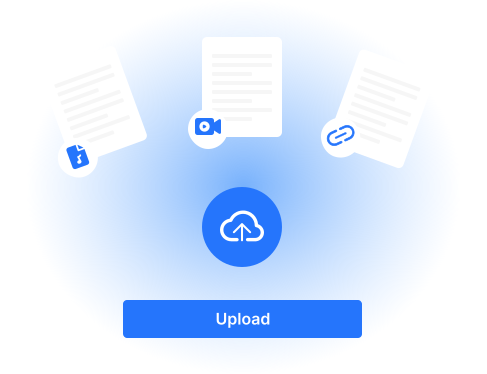
Paste Your YouTube Link
Enter the URL of the YouTube video you want to extract transcripts from into the input box at the top of the page.
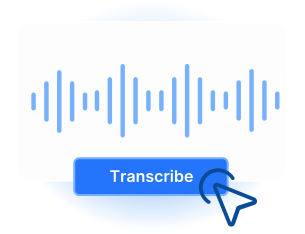
Click “Get Transcript”
Our tool automatically fetches the video’s subtitles or generated transcript within seconds.
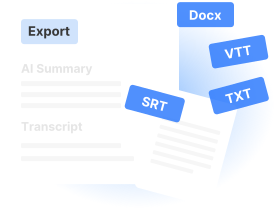
Copy or Download the Text
Review the extracted transcript, then copy it or download it for subtitles, notes, SEO writing, or repurposing content.
Powerful YouTube Video Transcript Downloader by Seekin
Seekin lets you instantly extract and download YouTube video transcripts in multiple formats — SRT, VTT, or TXT. No login or registration required. Perfect for content creators, researchers, students, and anyone who needs accurate transcripts for SEO, notes, or repurposing content.

Instant Transcript Extraction
Extract transcripts from any YouTube video in seconds. Our fast and reliable extractor works without login or installation.

Multi-Format Support
Download transcripts in the format you need — SRT for subtitles, VTT for video editors, or TXT for text analysis.

No Login or Registration Required
Start extracting YouTube transcripts immediately, without creating an account or entering personal details.

Accurate and Clean Text
Get precise transcripts from YouTube videos with clean formatting, ready for notes, blogs, or social media repurposing.

SEO-Friendly Content Creation
Use extracted transcripts to improve your SEO strategy, generate blog posts, or enhance your content marketing efforts.

Easy and Flexible Usage
Designed for simplicity, Seekin makes transcript extraction quick and convenient for any workflow.
Practical Use Cases for Seekin YouTube Transcript Extractor
Extract YouTube transcripts quickly and accurately with Seekin, and leverage the text for multiple purposes. Perfect for content creators, researchers, students, and anyone who wants to get more from YouTube videos while saving time.
Content Creation & Blogging
Turn YouTube videos into blog posts, articles, or social media content by using clean, ready-to-use transcripts. Boost your content output with minimal effort.

SEO & Digital Marketing
Extract transcripts to generate SEO-friendly text, improve keyword targeting, and enhance your website or marketing content.
Subtitles & Video Editing
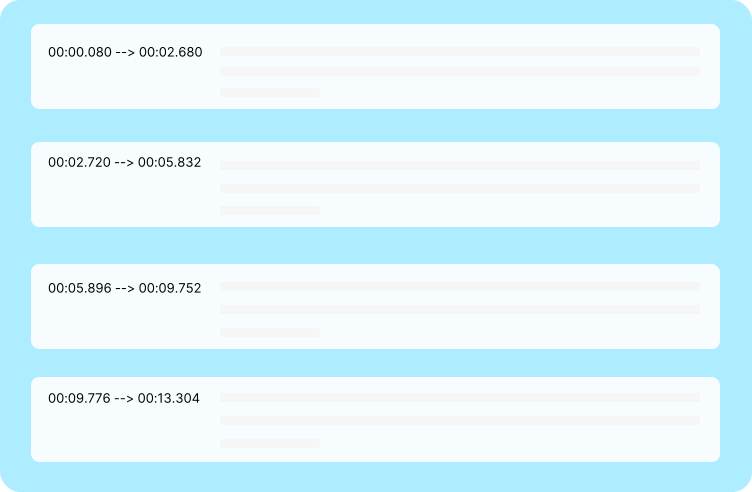
Use transcripts to create accurate subtitles or captions in SRT or VTT format, improving accessibility and video engagement.

Research & Learning
Quickly access video content in text form for study, research, or note-taking. Easily search, highlight, and organize information from any video.
Frequently Asked Questions
How can I get a transcript of a YouTube video?
You can easily get a transcript by using Seekin’s YouTube Transcript Extractor. Simply paste the video URL, click “Get Transcript,” and download the text in SRT, VTT, or TXT format. No login is required.
Is there an AI tool to get YouTube video transcripts?
Yes! Seekin uses AI-powered extraction to quickly generate accurate transcripts from YouTube videos. It supports multiple formats and provides clean text ready for notes, SEO content, or subtitles.
Can I get a YouTube video transcript for free?
Absolutely. Seekin allows you to extract and download YouTube video transcripts for free, without registration or installation. It’s simple, fast, and reliable.
How do I save a transcript of a YouTube video?
After extracting the transcript using Seekin, you can download it directly in SRT, VTT, or TXT formats. You can also copy the text for personal or content creation use.
How do I remove timestamps from a YouTube transcript?
Seekin provides clean transcript output, which removes unnecessary timestamps automatically. You get readable text suitable for writing, research, or repurposing content.
How do I extract or download a transcript from YouTube?
Simply paste the YouTube video URL into Seekin’s extractor, click “Get Transcript,” and choose your preferred format. The tool quickly extracts and delivers the transcript without requiring any extensions or extra steps.
Can I use Seekin to get transcripts for any YouTube video?
Yes, Seekin can extract transcripts from publicly accessible YouTube videos that have captions. It quickly delivers clean, readable text for content creation, research, or SEO purposes.
What formats can I download a YouTube transcript in?
Seekin supports multiple formats including SRT, VTT, and TXT. This makes it easy to use transcripts for subtitles, video editing, text analysis, or repurposing content for blogs and social media.
Extract Your YouTube Transcripts Instantly with Seekin
Get accurate transcripts in seconds for free — no login required, with multiple formats ready for SEO, notes, or blogs.