
Free YouTube Music Downloader – Download Music Easily
Easily download music from YouTube on PC, Mac, or mobile. Free YouTube music downloader for high-quality MP3 and video downloads. Convert YouTube to music in seconds.
How to Download YouTube Music with Seekin

Copy YouTube Music Link
Copy the URL of the YouTube music or song you want to download. Seekin supports all music links from YouTube.

Click Download
Paste the music link into Seekin and click the Download button to start downloading your favorite tracks.
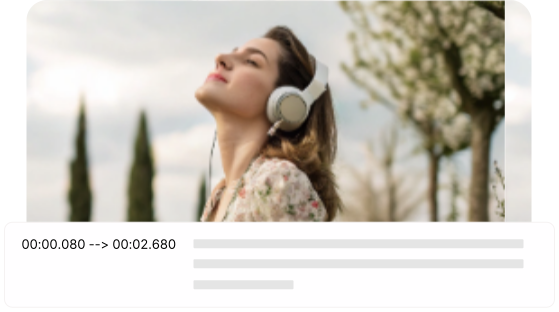
Select Audio Format & Save
Choose MP3 or other audio formats and save YouTube music in high quality directly to your PC, Mac, or mobile.
Download & Enjoy Your Favorite YouTube Music with Seekin
Seekin helps you download and enjoy YouTube music effortlessly. Convert songs to MP3 or other audio formats and listen anytime on PC, Mac, or mobile devices.
Fast and Reliable YouTube Music Download with Seekin
Download your favorite YouTube music instantly using Seekin. Get high-quality audio in seconds without any login or registration. Perfect for saving songs, playlists, and trending music to enjoy anytime offline.
- Supports all YouTube music links for any song or playlist effortlessly
- High-quality MP3 and audio downloads with crystal clear sound
- Works seamlessly on PC, Mac, and mobile devices anywhere
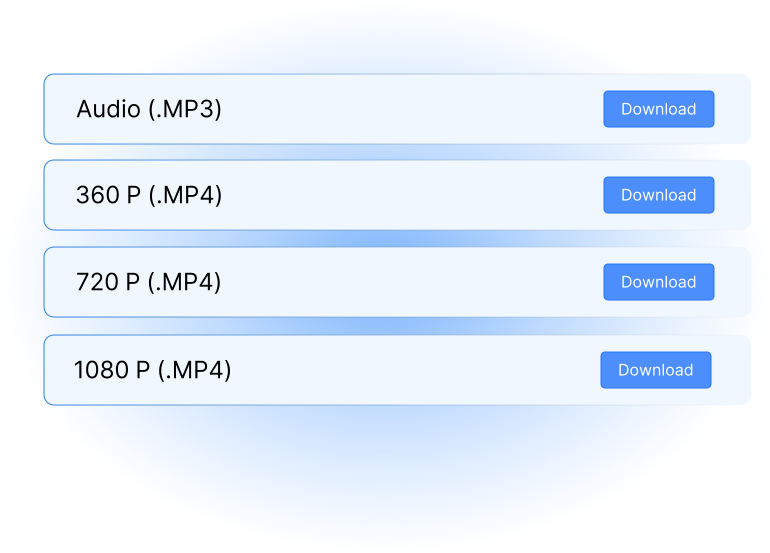

Multiple Audio Formats for YouTube Music Lovers
Convert YouTube music to MP3, WAV, or other popular audio formats with Seekin. Enjoy your favorite songs offline on any device and create a personal music library that’s organized and easy to manage.
- Convert songs for offline listening anytime, anywhere you go
- Compatible with all popular media players and mobile devices
- Keep your personal music library organized and ready for playlists
Simple and User-Friendly Music Download Experience
Copy the YouTube music link, click Download, and select your preferred format with Seekin. The intuitive interface makes downloading music fast and effortless, ideal for creating playlists or enjoying offline music on the go.
- One-click music download process for any YouTube song or playlist
- Intuitive and easy-to-use interface for all users
- Perfect for creating playlists or offline music enjoyment anytime
Frequently Asked Questions (FAQ)
How can I download YouTube music on my PC using Seekin?
Simply copy the YouTube music link, paste it into Seekin on your PC, click Download, and choose your preferred audio format. Enjoy high-quality MP3 music offline anytime.
Can I download YouTube music on my Mac or MacBook?
Yes! Seekin works seamlessly on Mac and MacBook. Just paste the music link, select MP3 or WAV format, and save your favorite songs for offline listening.
Is there a free way to download YouTube music without registration?
Absolutely. Seekin offers a free YouTube music downloader that doesn’t require login. You can download trending songs or playlists instantly and enjoy music offline.
How do I save YouTube music for workouts or dance practice?
Use Seekin to convert your favorite YouTube tracks into MP3 or other audio formats. Save them to your device and create playlists for workouts, dance practice, or other activities.
Can I download music from YouTube videos for making ringtones or background music?
Yes. Seekin allows you to download music in multiple audio formats. You can use these songs for ringtones, background tracks for videos, or personal projects.
Does Seekin support downloading music from YouTube playlists?
Yes! You can copy the playlist link, paste it into Seekin, and download all the songs in your preferred audio format, making it easy to build offline music collections.
Will the downloaded music maintain high quality?
Seekin ensures high-quality audio downloads. Whether you choose MP3 or WAV, your YouTube music downloads will retain clear sound for offline enjoyment.
Can I use Seekin to download YouTube music on my mobile device?
Definitely. Seekin works on mobile browsers too. Copy the YouTube music link, click Download, and select the format to enjoy your favorite songs on the go.
Download Your Favorite YouTube Music Instantly
Copy a YouTube music link, click Download, and save high-quality MP3 or audio files for offline listening.